

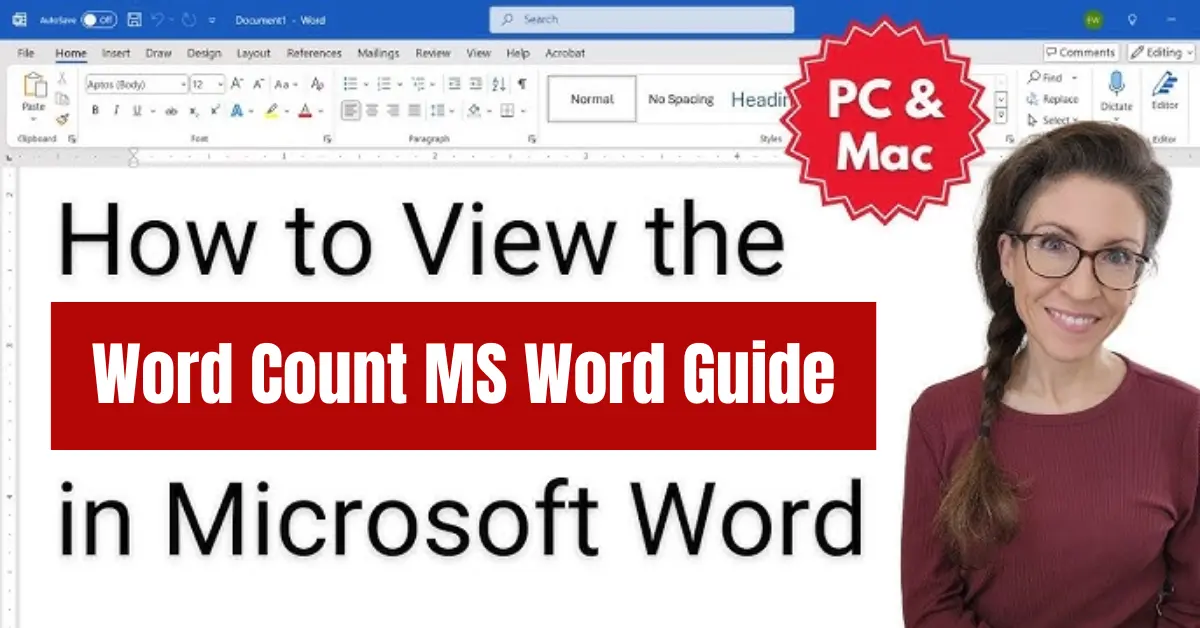
Introduction to Word Count in MS Word
Microsoft Word is one of the most widely used word processing software programs in the world. It is developed by Microsoft and is commonly used for creating documents such as assignments, reports, resumes, blog articles, business letters, and many other types of written content. Because of its simplicity and powerful features, it has become an essential tool for students, writers, professionals, and freelancers.
One of the most useful features inside this software is the word count tool in MS Word, which helps users track the number of words they have written in a document. This is especially important when working with specific writing requirements or limits.
Understanding the word count MS Word feature is important because it helps writers maintain clarity and meet required guidelines. Whether you are writing an academic assignment or preparing a professional report, keeping track of word count ensures that your content is neither too short nor unnecessarily long. It also helps improve writing discipline and content planning.
The word count feature is widely used by different types of users. Students use it to meet assignment requirements set by teachers and universities. Bloggers rely on it to create SEO-friendly content with the right length for better search engine ranking. Professionals use it in reports, proposals, and documentation where precision is important. Freelancers, especially content writers, use it regularly to meet client requirements and deliver high-quality work within specified limits.
In short, the word count MS Word feature is not just a simple tool; it is an essential part of modern writing that supports accuracy, productivity, and content quality for all types of users.
What is Word Count in MS Word
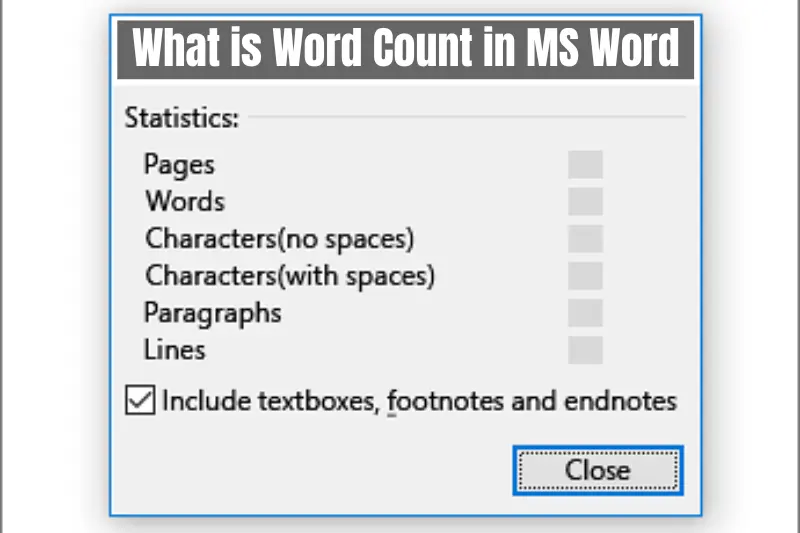
Word count in MS Word is a built-in feature that shows the total number of words in a document. It helps writers quickly understand how much content they have written without manually counting each word. This tool is especially useful when working with strict writing limits or content guidelines.
The word count MS Word feature does not only show words. It also provides additional information such as the number of characters, paragraphs, and pages in a document. This makes it a complete writing analysis tool for users who want better control over their content.
In simple terms, word count helps ensure that your writing meets the required length while maintaining quality and structure.
How to Check Word Count in MS Word
There are multiple easy ways to check word count in MS Word, and users can choose the method that suits them best.
Method 1 Using the Status Bar
At the bottom of the MS Word screen, there is a status bar that automatically shows the word count of the document. This is the fastest way to check your total words without clicking anything.
If the word count is not visible, you can right click on the status bar and enable the word count option.
Method 2 Using the Review Tab
Another way to check word count is through the Review tab.
Steps:
- Open your document in MS Word
- Click on the Review tab in the top menu
- Select Word Count
A box will appear showing detailed information such as words, characters, paragraphs, and pages.
This method is useful when you need a full breakdown of your document.
Features Included in MS Word Word Count Tool
The word count MS Word tool is more advanced than it looks. It provides several useful details including:
- Total number of words
- Number of characters with spaces
- Number of characters without spaces
- Number of paragraphs
- Number of pages
These features help users analyze their writing in detail and improve content quality.
Why Word Count is Important for Writers and Students
Word count plays a very important role in different types of writing tasks.
For students, it ensures that assignments meet academic requirements. Teachers often set word limits, and this tool helps students stay within those limits.
For bloggers and SEO writers, word count helps in creating well optimized content. Search engines often prefer detailed and well structured articles.
For professionals, it ensures that reports and documents are clear, precise, and not overly long.
For freelancers, especially content writers, word count is essential for meeting client expectations and delivering work accurately.
Common Problems with Word Count in MS Word
While the word count MS Word feature is very reliable, users sometimes face small issues that can affect accuracy or cause confusion.
One common problem is when the word count does not update automatically. This usually happens due to temporary software glitches or when the document is not refreshed properly. In such cases, closing and reopening the file usually fixes the issue.
Another issue is hidden text or formatting. Sometimes, invisible characters, extra spaces, or copied content from other sources can affect the total word count. This can make the count slightly higher than expected.
A third confusion occurs when users select only part of the text. MS Word then shows word count for the selected portion instead of the full document. This is useful but can sometimes be misunderstood by beginners.
Understanding these small issues helps users trust the tool more and use it correctly in daily writing tasks.
Tips to Improve Word Count Accuracy in MS Word
To ensure accurate results while using the word count MS Word feature, you can follow a few simple practices.
First, always remove unnecessary spaces between words and paragraphs. Extra spaces can slightly increase the word count and affect document quality.
Second, check for hidden formatting or copied text from websites. Pasting content without cleaning formatting may include hidden characters.
Third, regularly monitor word count while writing instead of checking only at the end. This helps maintain balance in your content.
Finally, use the full document view when checking word count to avoid selection errors.
These small habits help improve writing accuracy and make your document more professional.
Benefits of Using MS Word for Content Writing
MS Word is not just a writing tool, it is a complete content creation platform.
One of its biggest benefits is real time word tracking. Writers can easily see how much they have written while working.
It also offers strong editing and formatting tools that help improve readability and structure.
Another benefit is its reliability. Since it is widely used in education and business, it is trusted for professional documentation.
For content writers, bloggers, and freelancers, MS Word saves time and helps maintain consistency in writing projects.
Word Count MS Word for SEO Content Writing
In SEO writing, word count plays an important role in content performance.
Search engines often prefer detailed and informative content because it provides better value to users. However, quality is always more important than just length.
Using the word count MS Word tool helps writers maintain a balanced structure between keyword usage and content depth. It ensures that articles are neither too short nor unnecessarily long.
A well optimized article includes natural keyword placement, proper headings, and useful information that satisfies user intent.
For bloggers, maintaining the right word count can improve ranking potential and increase organic traffic over time.
Conclusion
The word count MS Word feature is a simple but powerful tool that supports all types of writing tasks. From students to professionals, everyone benefits from its ability to track and manage content length easily.
It helps ensure accuracy, improves writing discipline, and supports SEO friendly content creation. By using this feature correctly, writers can produce well structured and high quality documents that meet required standards.
Whether you are writing an assignment, a blog post, or a business report, understanding and using word count effectively in MS Word can significantly improve your writing workflow and overall productivity.
